New Feature Enhancement: Feedback Featured

- Edited
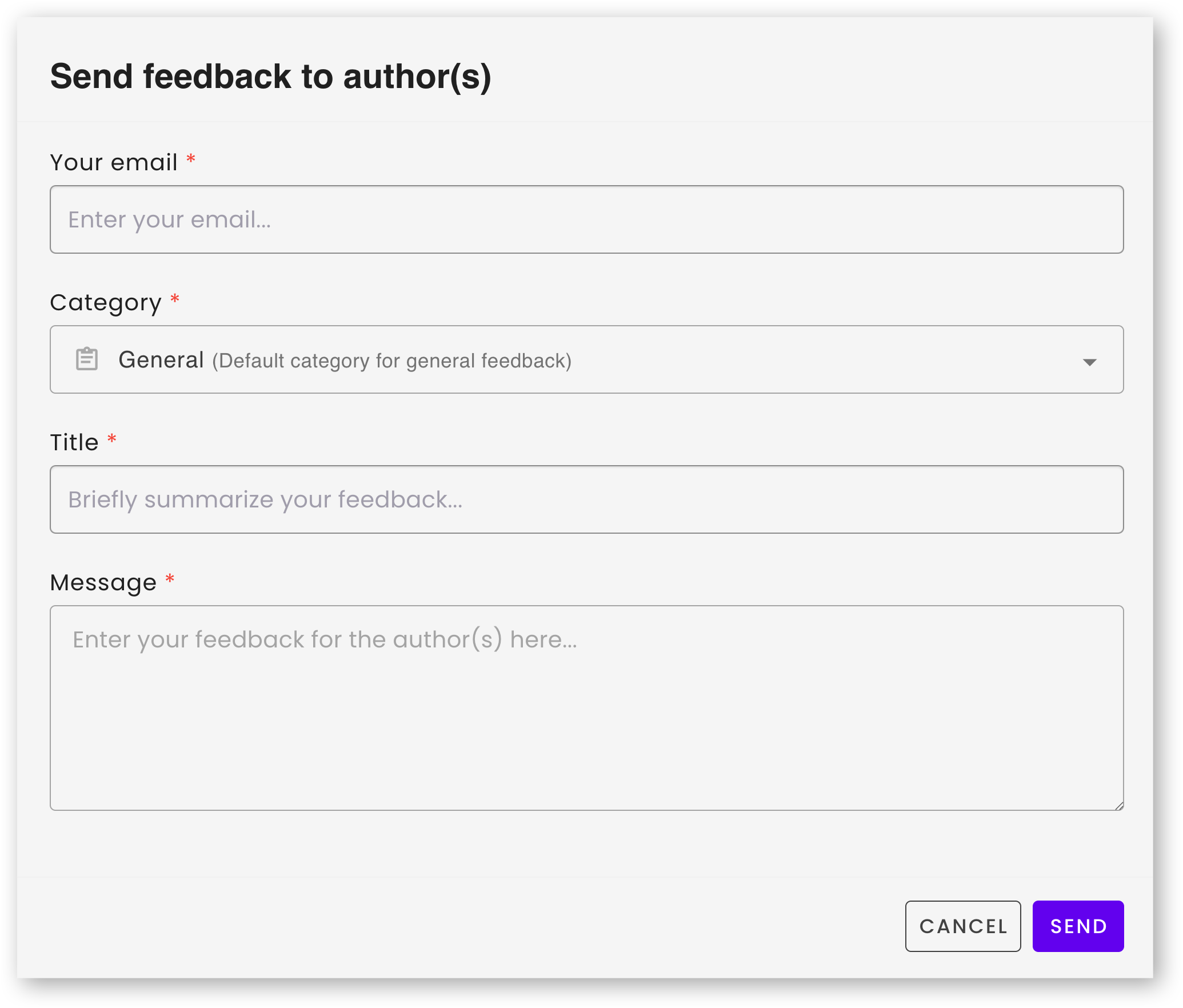
We’re excited to introduce a major upgrade to the Feedback experience in Zingtree, designed to help authors better organize, triage, and act on high volumes of workflow feedback.
This enhancement brings clarity, structure, and efficiency to feedback management, allowing teams to work smarter, respond faster, and maintain higher-quality workflows with confidence.
What’s New?
1. Introducing the New Feedback Management Page
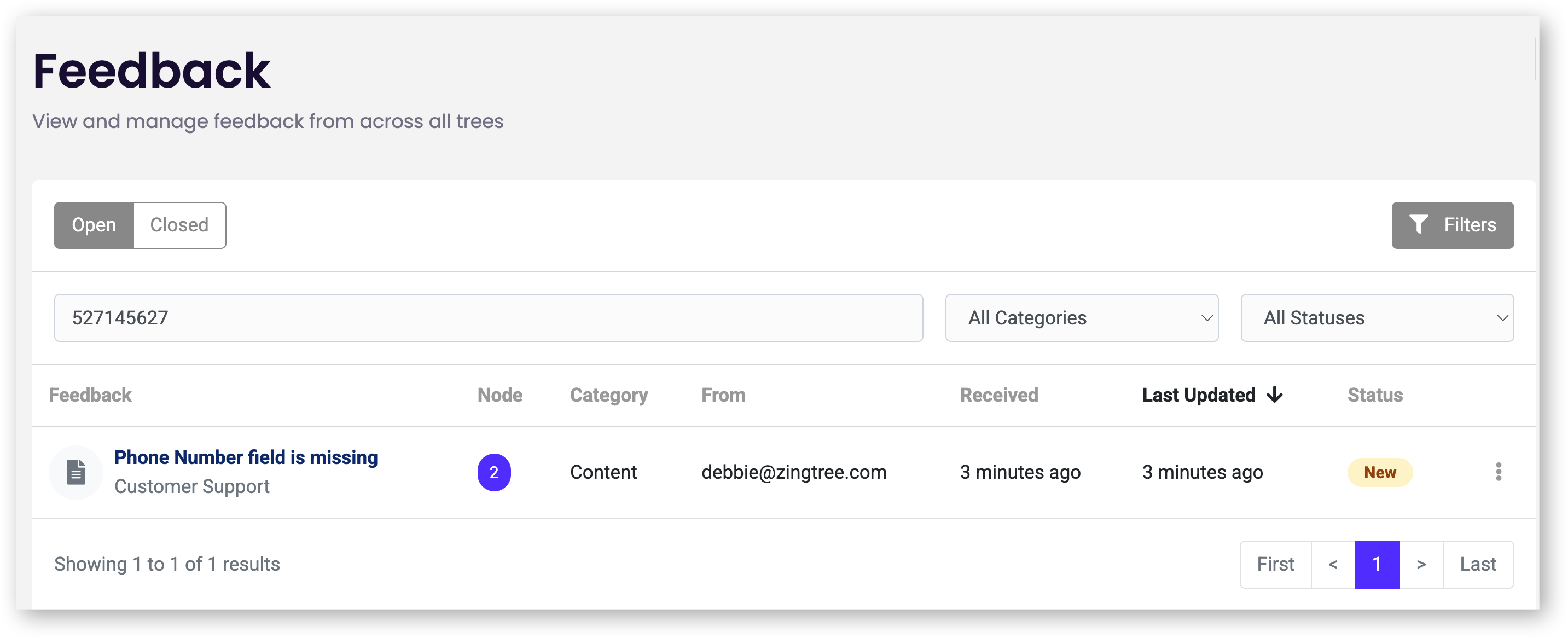
A brand-new centralized workspace makes it easier than ever to review, categorize, and take action on feedback.
Where to Find It
Located under the Workflows section in the main navigation, select Feedback.
Key Features
-
Two Tabs:
-
Open
-
Closed
-
-
Filtering Options:
-
Workflow
-
Status
-
Category
-
-
Archive View:
-
Full historical log with preserved statuses
-
2. Categorize Feedback for Faster Triage
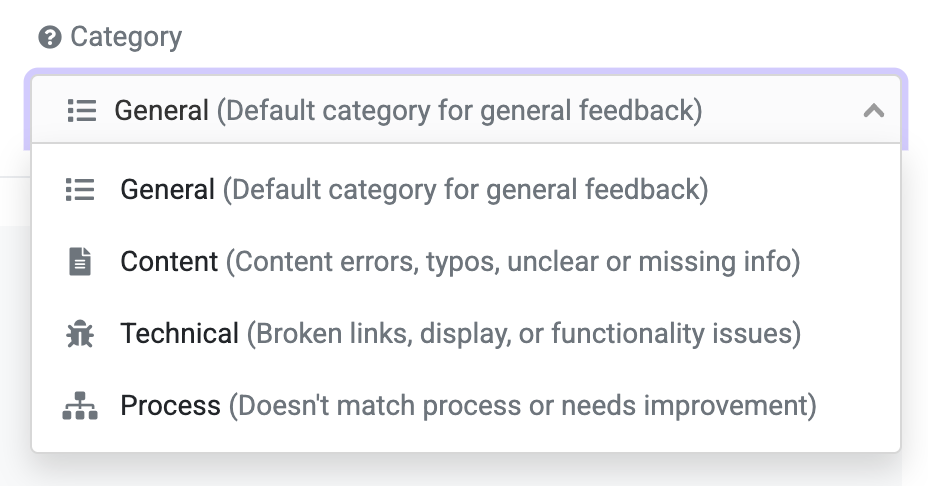
When users submit feedback, they will now select from predefined global categories. This enables authors to quickly understand what type of issue is being reported and prioritize accordingly.
Available Categories:
-
General
Default catch-all for existing feedback items. -
Content
Incorrect details, typos, unclear or confusing text, missing steps or information. -
Technical
Broken links, display/UI issues, functionality errors. -
Process
Workflow misalignment with business processes, suggested improvements, routing concerns.
These categories aim to strike the right balance, specific enough to be useful, but not overwhelming for users submitting feedback.
3. New Feedback Status Options
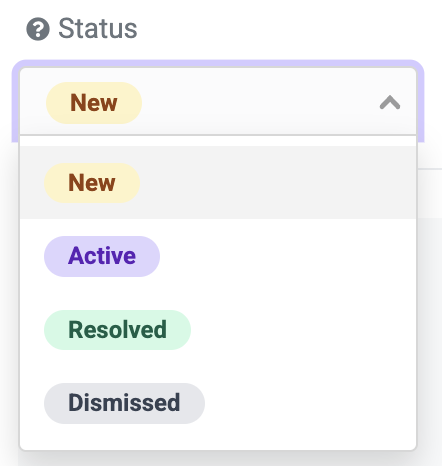
Authors can now assign status values to each feedback item. These statuses exist independently of archiving, allowing for more flexible workflow management.
Available Statuses:
-
New – Default status for all incoming feedback.
-
Active – Item is under review or currently being worked on.
-
Resolved – Feedback has been addressed or implemented.
-
Dismissed – Decision made not to act on this feedback.
How It Works
-
“Resolved” and “Dismissed” represent end states, and often come before archiving.
-
Authors can leave items in these statuses temporarily before archiving, useful for batching or quick visibility.
-
Archived feedback keeps its assigned status so teams can see which items were resolved vs. dismissed.
-
When marking a feedback item as resolved or dismissed, authors can add a closing comment for clarity.
-
There are no process rules, so statuses can be adjusted freely.
Permissions
Authors only see feedback related to workflows they have edit access to.
My Workflows Page Integration
Clicking the existing Comments icon still behaves the same, it opens the new Feedback Management page with the specific workflow filter applied.
Want to Learn More?
Full details, screenshots, and walkthroughs are available in our Help Center: Feedback: How to Collect Feedback from your Agents or End-Users
We’d love your feedback!
This enhancement was inspired directly by customer requests. Try it out and let us know what you think, your input helps us continue to improve Zingtree’s authoring experience.
Comments
0 comments
Please sign in to leave a comment.