Feature Release! Conditional Form Fields Featured

Zingtree Admin
- Edited
We’ve just made your workflows even smarter.
You can now dynamically display form fields based on simple logic — only show what matters, when it matters. Reduce clutter, save time, and streamline your agent and customer experiences.
Example Use Case:
If a user selects “Rent” for residence status, only the “monthly rent” field appears — no unnecessary clicks or distractions.
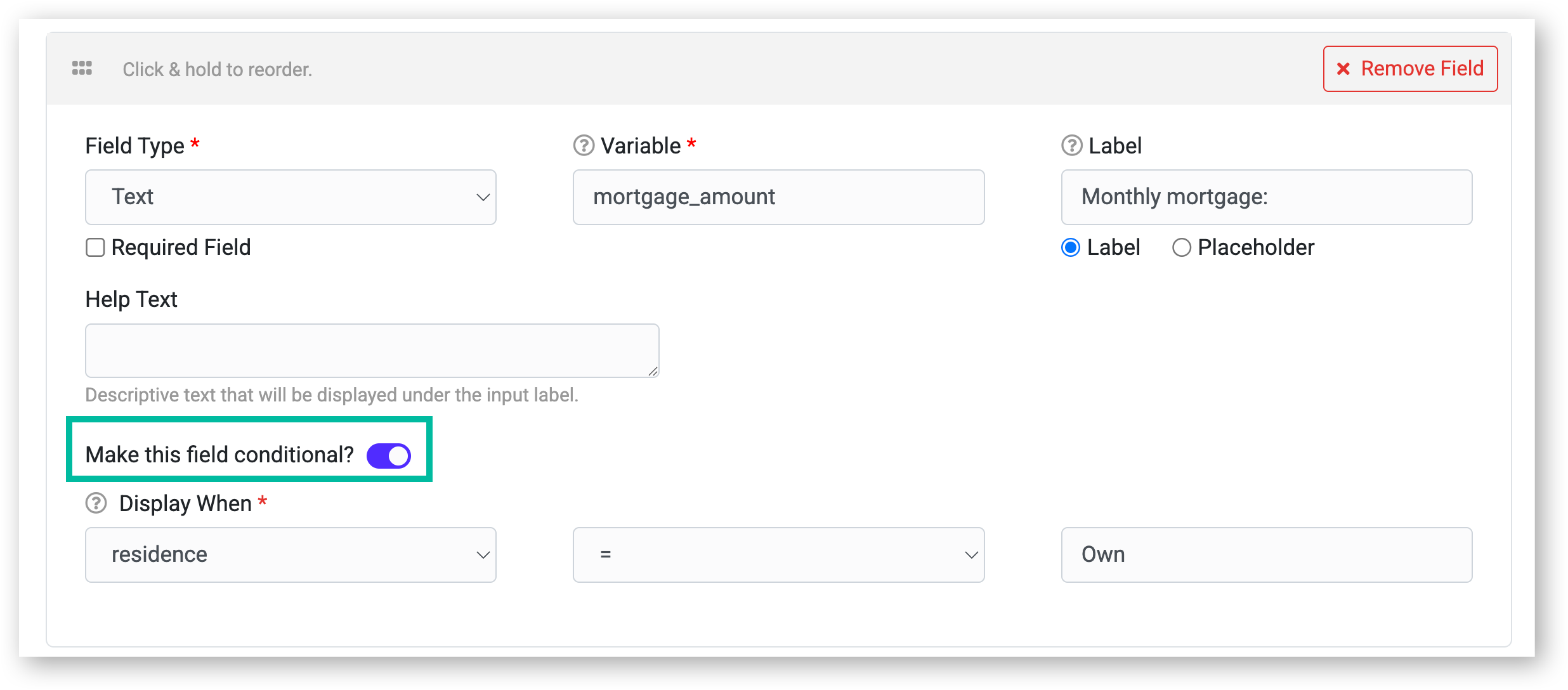
How it works:
- Add any form field like normal
- Toggle Conditional to ON
- Set logic rules (e.g., Show this field if residence = Rent)
- Works across the same or future nodes
Conditional fields can also be set as required, but only when they’re visible.
Learn more and start building: Conditional Form Fields
Have feedback? Share it below or drop your favorite use case!
Comments
0 comments
Please sign in to leave a comment.