Any Zingtree workflow can be embedded into a PowerPoint slide.
- Download and install the add-on for PowerPoint called Web Viewer.
- After installing Web Viewer, close and re-start PowerPoint.
-
In Zingtree, find your iFrame embed code URL. You'll find this from Publish > Deployment Setup > Embed in web page > Embed in your web page via iFrame (advanced)
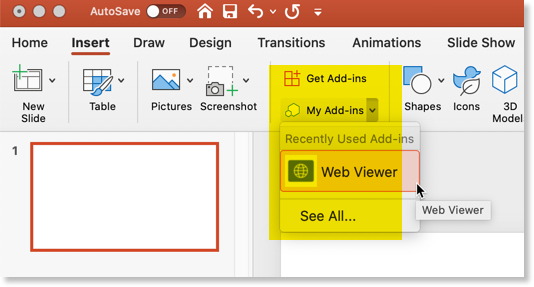
Here's an example URL (replace the Workflow ID with your own):https://zingtree.com/preview/763302243/embed - On the slide that you wish to display your workflow in PowerPoint, choose Insert, Add-Ons, My Add-Ons, Web Viewer.
- Paste in the iFrame URL (note that the https:// is already prefaced for you).