Zingtree is able to capture any custom fields from Zendesk and incorporate them into the content of your scripts as Zingtree variables.
Here's one way to do this:
- Install the Zingtree Agent Scripting app, and run through one ticket and script with Zingtree. This will populate the list of Custom fields in Zingtree.
- In Zingtree, edit a Node, and click the variables tool.
- Pick one of the variables to insert into your script.
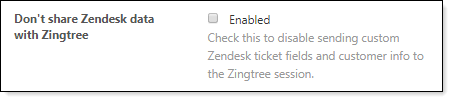
Important: Make sure your Zendesk Agent Scripting app has not disabled sending data to Zingtree. It should look like this: